http://www.scrapblog.com
For my Emerging Technologies Post #3, I tested out a website called www.scrabblog.com. Scrapblog.com is a site designed for users to make creative looking projects. These projects can include making cards, calendars, slides, videos, etc. I would advise this website to anyone looking to take their pictures and make something memorable out of them. This was the first time I had ever used scrapblog.com. I found the website somewhat difficult to get used to in the beginning. However, after messing around with the technology for several hours I finally figured it out and began to enjoy it. I would recommend, to anyone using this website, that you play around with the technology and take advantage of the step by step process it provides to you. In addition, click around, there are several buttons that could help you find what your looking for.
Here is one of my latest projects from scrapblog.com...
This was a pre-made format and all I had to do was add my own photos and some text!
Tuesday, November 16, 2010
Monday, November 1, 2010
Emerging Through Picnik.com
For my second Emerging Technologies Post, I decided to build off my first podcast and continue on with the technology known as Picnik.com. Picnik.com is a interactive website that allows you to edit your photos in a new and creative way. Such features of this website include being able to auto fix a picture, change it's color, change it's quality, change it's appearance, doctor discrepancies, downsize, and creatively enhance.
I first learned about this technology when I started college at IUPUI. A friend of mine introduced me to the website after I commented on how good a picture of hers looked, come to find out, the reason it looked so amazing was because she used Picnik.com. Prior to my Picnik days, I had been trained to use a program called Adobe Photoshop. Photoshop is both very expensive, and quite confusing to get used to. Picnik.com however, is a breeze to get used to and includes lot of guided instruction.
If you would like to learn more about Picnik.com and how to use it, you might try listening to the podcast in my previous post. There, I go over some basics of Picnik and how to get started editing! I must also add that Picnik.com is a website that has some limitations. Some of the more advanced features can only be utilized by a means of registering and paying to be a member. However, there are tons of functions that are free and allow for a great photo to be created!
I first learned about this technology when I started college at IUPUI. A friend of mine introduced me to the website after I commented on how good a picture of hers looked, come to find out, the reason it looked so amazing was because she used Picnik.com. Prior to my Picnik days, I had been trained to use a program called Adobe Photoshop. Photoshop is both very expensive, and quite confusing to get used to. Picnik.com however, is a breeze to get used to and includes lot of guided instruction.
If you would like to learn more about Picnik.com and how to use it, you might try listening to the podcast in my previous post. There, I go over some basics of Picnik and how to get started editing! I must also add that Picnik.com is a website that has some limitations. Some of the more advanced features can only be utilized by a means of registering and paying to be a member. However, there are tons of functions that are free and allow for a great photo to be created!
Here is a photo of me on Halloween before and after editing with Picnik.com! I changed the color to black and white, added a frame, and added some text! This totally changes the look and overall feel of the picture!
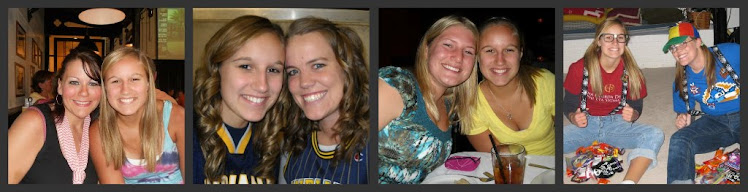
Here are some other photos I've edited with Picnik.com:
This is a picture of my friend Sarah and I at our Senior Cook-Out!
This is a picture of my friend Stacie and I at our Senior Cook-Out!
This is a picture of my friend Taylor and her boyfriend while bowling!
This is a picture of my boyfriend's sister after her dance recital for Alice in Wonderland!
This is a picture of my boyfriend and I at our high school prom!
My friend Taylor and I at the Pacers Game!
Subscribe to:
Comments (Atom)


